Clarify Numbers and Symbols
Summary
Section titled “Summary”Numbers and symbols are common in content, and familiar symbols can aid understanding for many users. However, uncommon symbols and complex number formatting are often difficult for people and assistive technologies to interpret correctly.
When using long numbers or numerical patterns, it is important to:
- Use formatting that is consistent with the language and locality of your content.
- Provide text explanations for uncommon symbols.
- Replace numbers with words wherever possible.
Overview
Section titled “Overview”Not all users are able to understand symbols, numbers, and numerical concepts when they appear in the content. People with dyscalculia may have difficulty understanding number patterns, such as multiplication tables, or long numbers, such as phone numbers.
When including long numbers in content, it is important to consider your audience and format them according to the common conventions for your locality. This will help screen readers announce the number correctly, according to the user’s region settings. For example, 1 million dollars can be written as:
- $1,000,000.00 in the US
- $1.000.000,00 in Brazil
Some numbers can be confused for letters, such as the letter ‘O’ and the number ’0’ and the letter ‘I’ and the number ‘1’. Roman Numerals can also be announced incorrectly as letters. In these cases, it is beneficial to spell the number out instead.
Uncommon symbols can impact a person’s understanding of the content. They are often incorrectly announced by screen readers or skipped over entirely. It is best to avoid using uncommon symbols, but if they are needed, try to include a text description of their meaning for users.
Common symbols can help users understand the content without having to read large amounts of text. They can also benefit users who have low vision or the elderly who use screen magnification, as the content may be easier to identify. A widely used example of this is the magnifying glass symbol used to identify search fields on websites. Common symbols should be positioned close to the content that they represent and have a clear meaning.
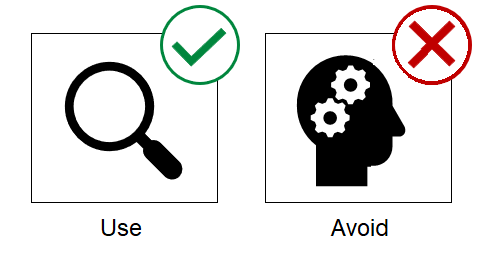
Figure 1 shows two icons:
- The first icon is the magnifying glass symbol commonly used to identify search fields on websites. It’s okay to use common symbols like this, and can even be beneficial for some people.
- The second icon is the silhouette of a head with two gear icons positioned inside it. This symbol is far less common and could have many different meanings. Avoid using symbols like this unless an explanation is also provided.
Who is Helped
Section titled “Who is Helped”Use common symbols and clarify complex number patterns to help:
- People who use screen readers or text-to-speech technologies.
- Uncommon symbols and number patterns can often be announced incorrectly by these assistive technologies.
- People with cognitive disabilities, such as individuals who have dyscalculia.
- Uncommon symbols and number patterns can be particularly difficult for this group of people to understand.
- People who use screen magnification or zooming tools.
- Common symbols can help these individuals quickly identify content or components without having to scroll through large amounts of text.
Guidelines
Section titled “Guidelines”- Avoid the use of uncommon symbols where possible. If unavoidable, include a text explanation in brackets next to the symbol, or try to link to an explanation in a glossary.
- Place common symbols next to the content they represent. Make sure that their meaning is clear.
- Write out dates in full. Many countries use different date formats, so writing out dates ensures that they can be understood by as many people as possible, regardless of their location. For example: 16th May 1984.
- Format long numbers based on the conventions for your locality.
- Spell out numbers that are commonly confused for letters, such as the letter ‘O’ and the number ’0’ and the letter ‘I’ and the number ‘1’.
- Try to avoid using Roman Numerals. If used, ensure that they are in capitals to increase the chance they will be announced correctly by screen readers.